Harbour
Freight operations for importers: every shipment, customs hold and document on one screen, and a driver app that closes the loop.
Studio concept · 2026 · Product design, Prototype

Maps © OpenStreetMap contributors, served by OpenFreeMap. Placeholder company marks by Logoipsum. Portraits from Unsplash.
the project
Harbour is a made-up product we designed to think through a problem we keep seeing: importers running their freight on spreadsheets, broker emails and carrier portals, with nobody quite sure where a container is or which document is missing.
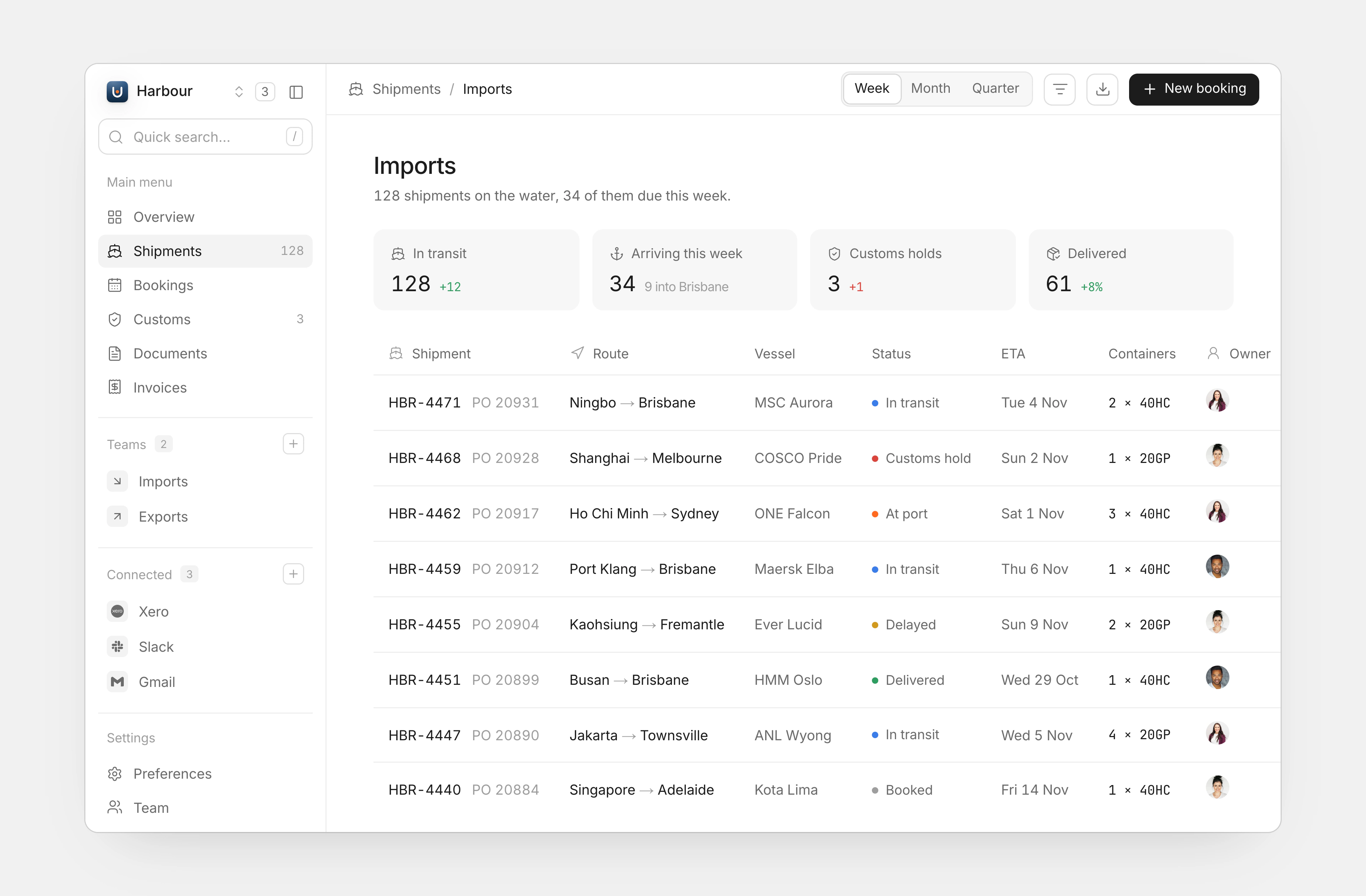
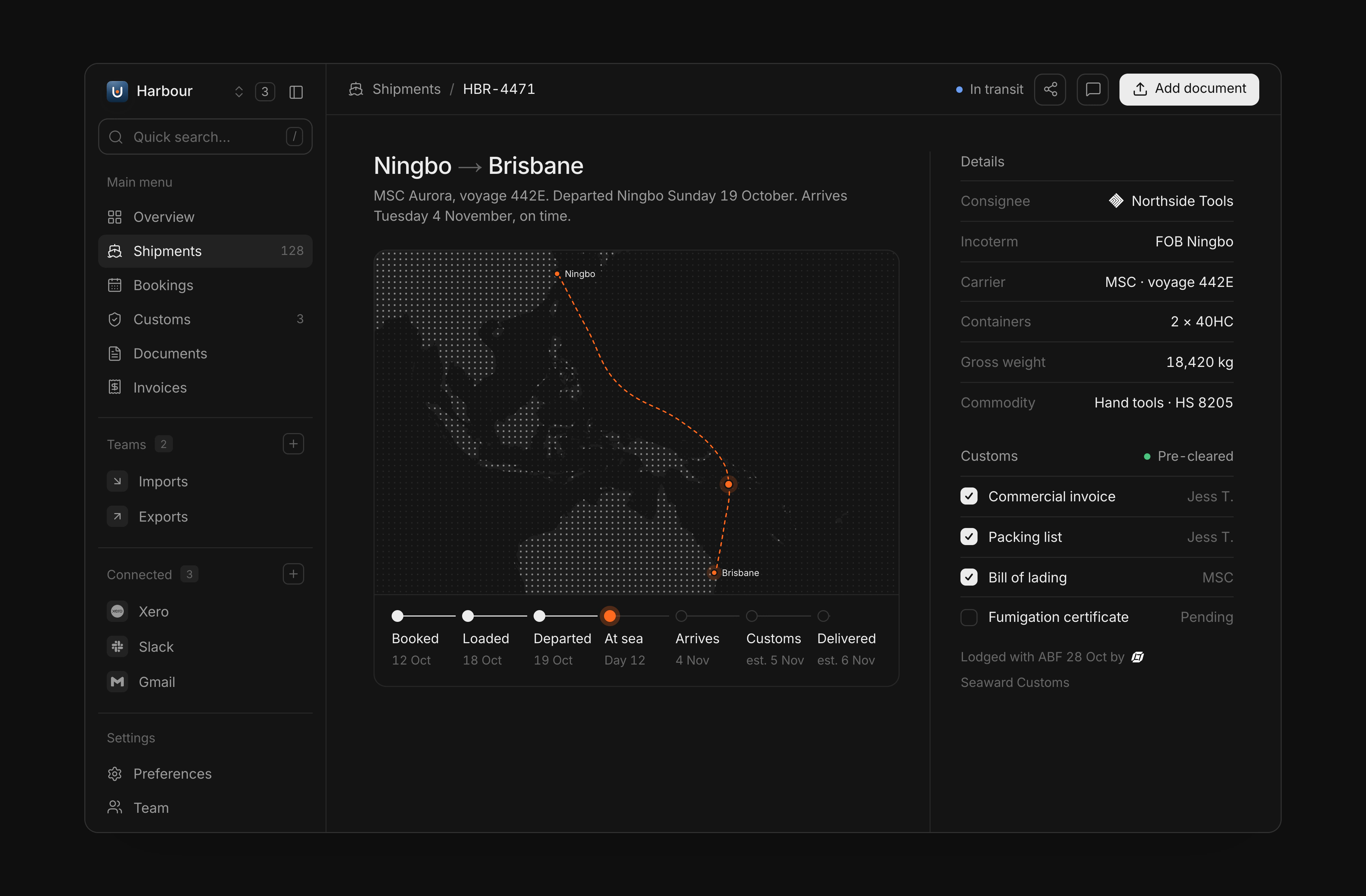
The desktop app puts every shipment in one table with the state that matters up front: in transit, at port, delayed, held. A shipment page carries the route, the milestones, the customs checklist and the containers, so “where is it and what’s blocking it” has one answer.
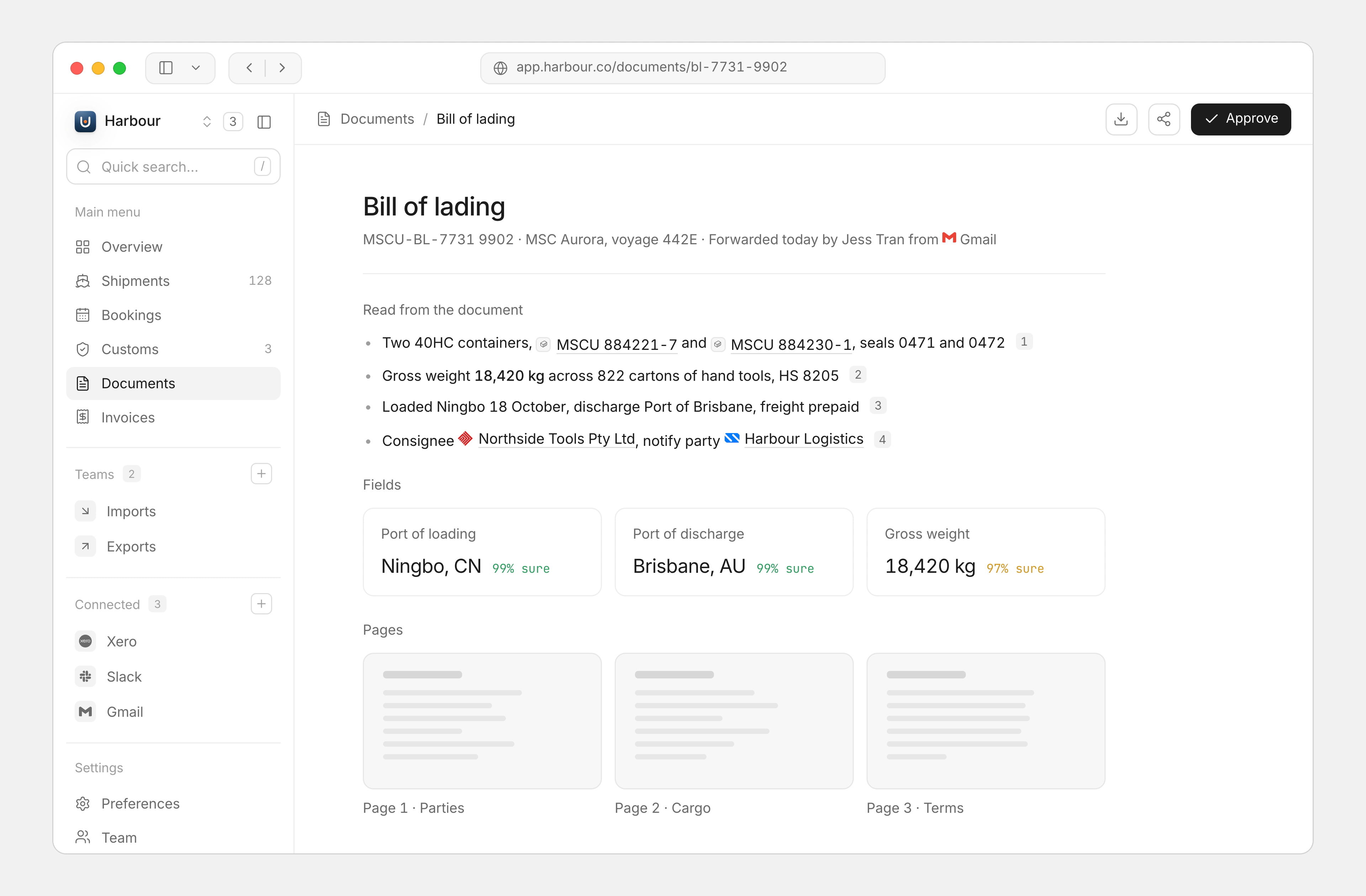
Documents are read as they arrive. A bill of lading becomes a few plain points, a set of fields with how sure the system is about each, and the pages themselves, so an operations lead approves it in seconds instead of reading it line by line.
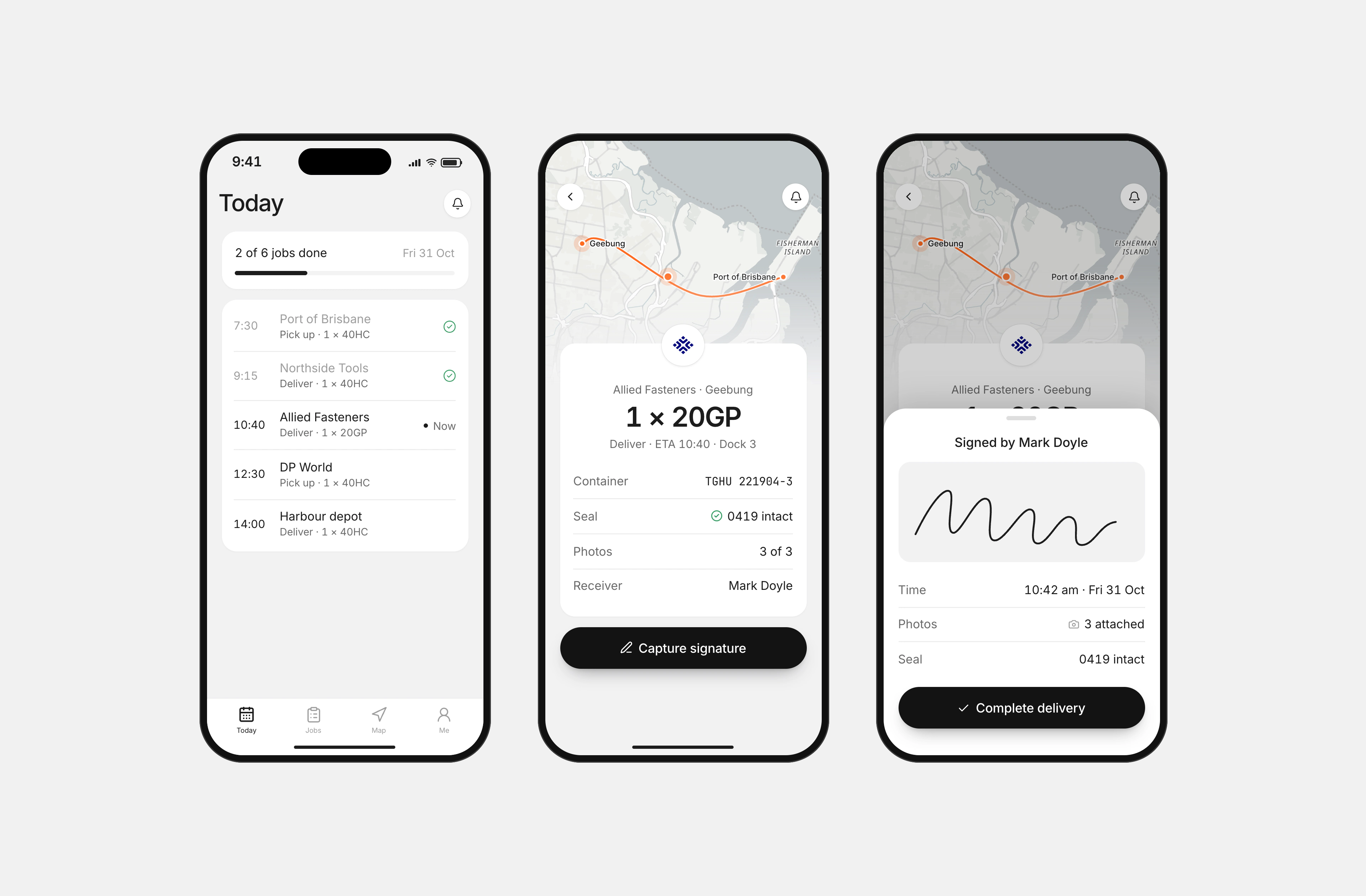
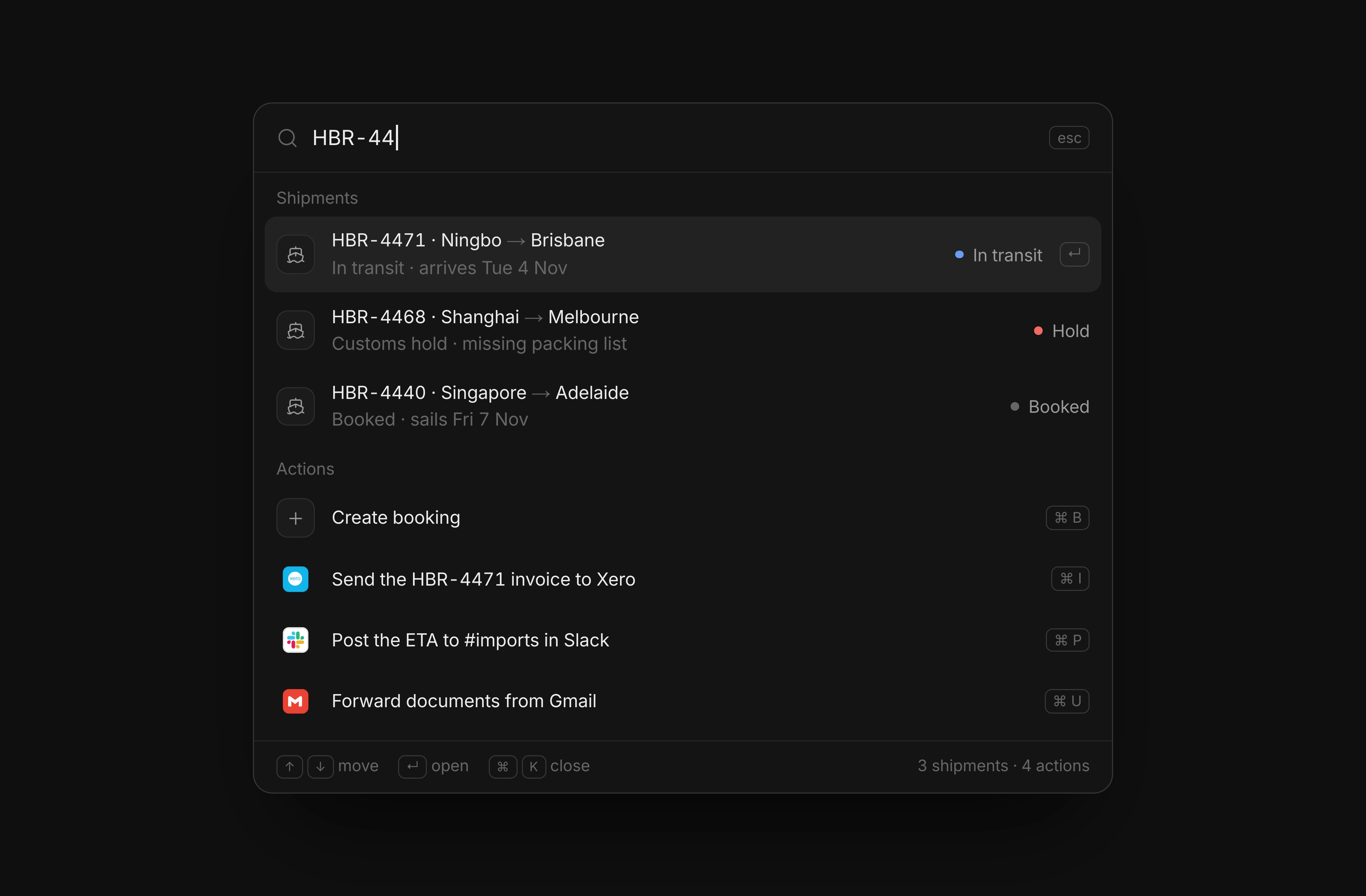
Drivers get a small, plain app: today’s jobs, the one they’re on, and proof of delivery with a signature and photos. A command palette ties the desktop together for the people who live in it all day.
what we shipped
- Desktop app: shipments, a shipment page, documents and a command palette
- Light and dark themes drawn from one set of tokens
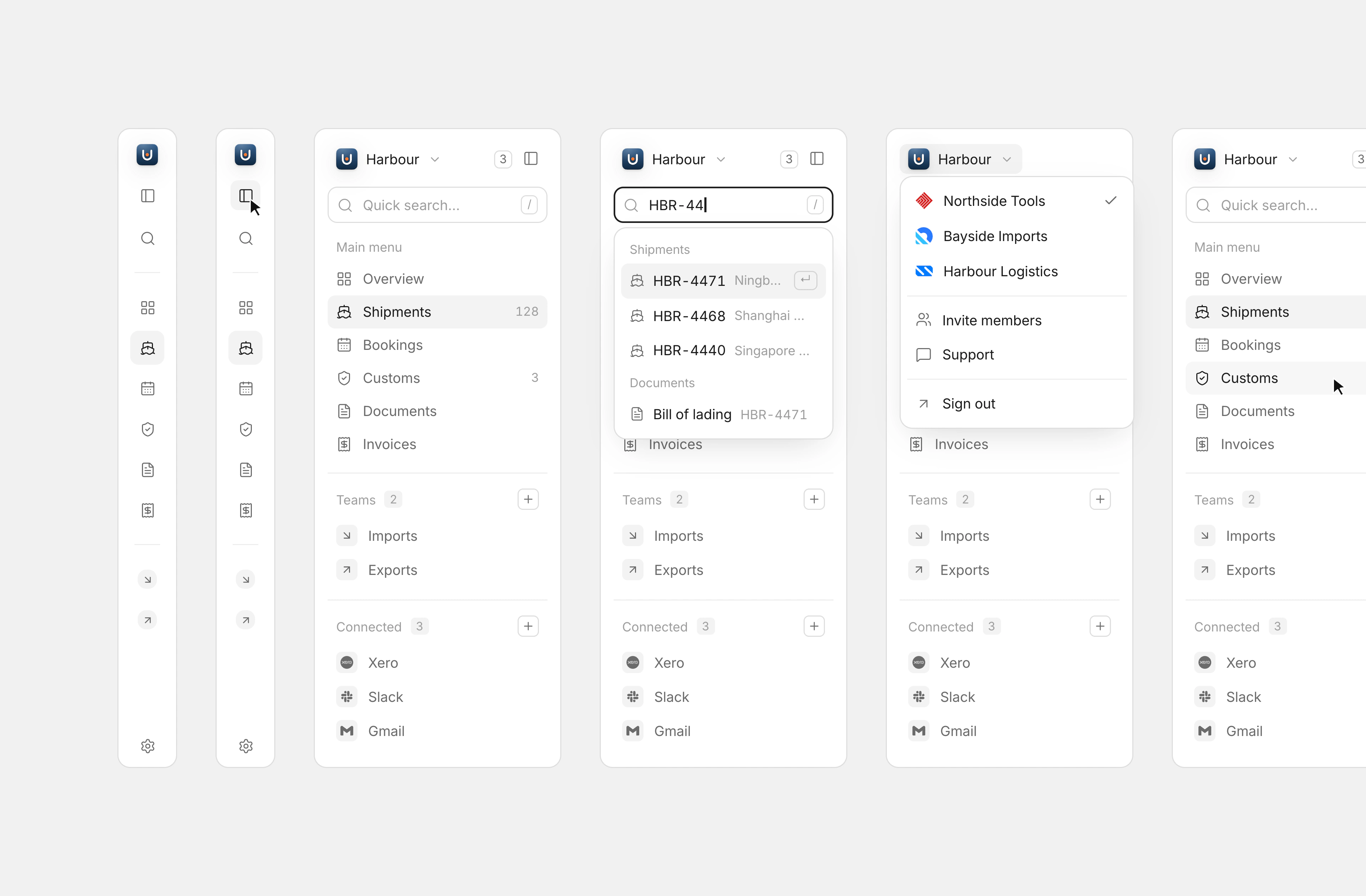
- The sidebar in six states, from a collapsed rail to the workspace switcher
- A driver app for pick-ups, deliveries and proof of delivery
next project
Want something like Harbour? Book a free 30-minute call with Adam, our founder. You’ll leave knowing what to build first, how long it takes and which plan fits.